POST
https://seedance2-pro.com
/
api
/
v1
/
jobs
/
createTask
Omni Reference | Seedance2 API - AI Video Generation
curl --request POST \
  --url https://seedance2-pro.com/api/v1/jobs/createTask \
  --header 'Content-Type: application/json' \
  --data '
{
  "model": "<string>",
  "inputs": {
    "urls": [
      "<string>"
    ],
    "videoUrls": [
      "<string>"
    ],
    "prompt": "<string>",
    "ratio": "<string>",
    "duration": "<string>"
  },
  "callBackUrl": "<string>"
}
'

Overview

Omni Reference mode uses images and videos as visual references to generate new video content. Unlike Image-to-Video mode where images become first/last frames, here materials serve as style, character, or motion references.
Audio is not supported. Generated videos do not contain audio tracks.

@N Prompt References

Use @1, @2, etc. in the prompt to reference specific uploaded materials. Materials are 1-indexed, with images first, then videos:
  • "A cat @1 dancing on @2 background" — references the 1st and 2nd material
  • When referencing an image, it is treated as an image reference; when referencing a video, it is treated as a video reference
  • @N where N exceeds the number of materials will be silently ignored
  • If no @ is used, materials are implicitly referenced via the material list
Example ordering — 2 images + 1 video: @1 and @2 reference images, @3 references the video.

Endpoint

POST https://seedance2-pro.com/api/v1/jobs/createTask

Headers

HeaderValueRequired
AuthorizationBearer YOUR_API_KEYYes
Content-Typeapplication/jsonYes

Request Body

model
string
required
Must be seedance-20
inputs
object
required
callBackUrl
string
Optional webhook URL for completion notification.

Credits

DurationCreditsCost
4s160$0.80
5s200$1.00
8s320$1.60
10s400$2.00
15s600$3.00
Formula: duration (seconds) x 40 credits

Example — Omni Reference with @N

Images with ratio — images serve as visual references, @1 @2 pin each to a role in the prompt.
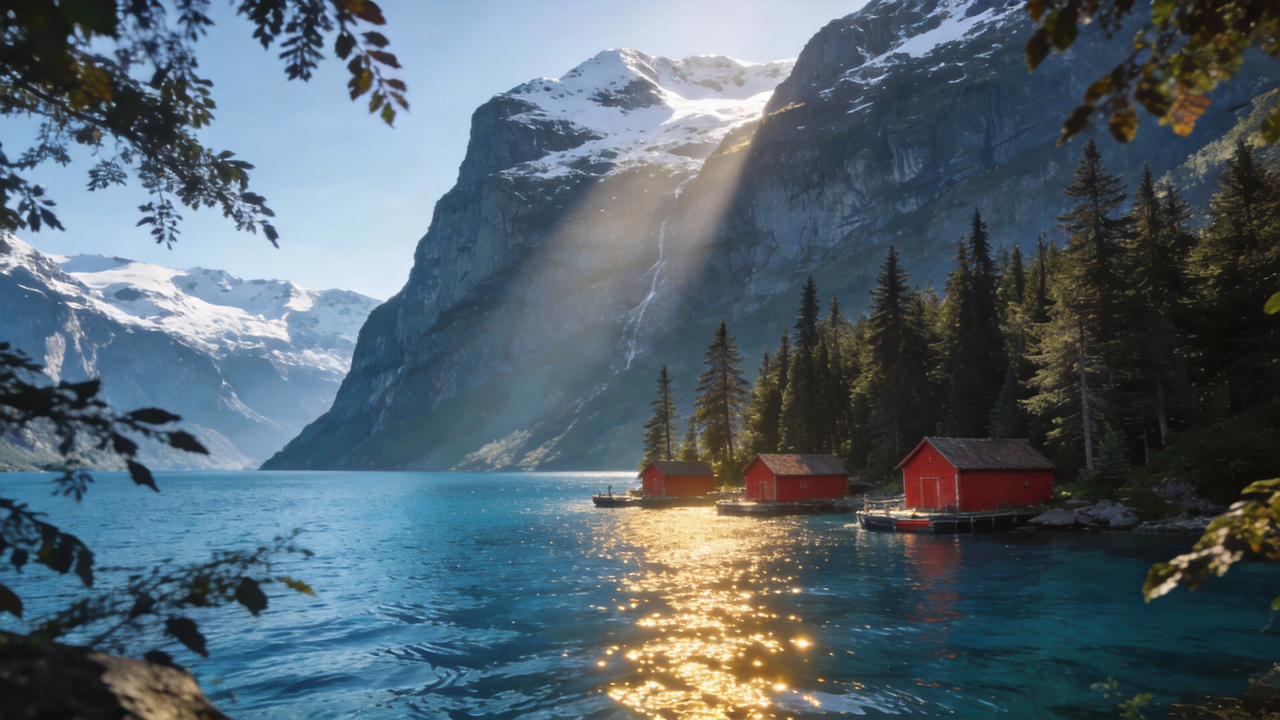
Mountain lake with red cabins
Desert dunes with camels
curl -X POST https://seedance2-pro.com/api/v1/jobs/createTask \
  -H "Authorization: Bearer YOUR_API_KEY" \
  -H "Content-Type: application/json" \
  -d '{
    "model": "seedance-20",
    "inputs": {
      "urls": [
        "https://seedance2-pro.com/landing/seedance2/cases/beat-sync/beat-sync-img-05.png",
        "https://seedance2-pro.com/landing/seedance2/cases/beat-sync/beat-sync-img-04.png"
      ],
      "prompt": "Scenic landscape images from @1 and @2, with beat-synced cuts between scenes, cinematic light shifts, and sweeping camera movements across the landscapes",
      "ratio": "16:9",
      "duration": "8s"
    }
  }'

Example — Character Consistency

Use a character reference image with ratio to keep the character consistent while generating new scenes.

Young man portrait
curl -X POST https://seedance2-pro.com/api/v1/jobs/createTask \
  -H "Authorization: Bearer YOUR_API_KEY" \
  -H "Content-Type: application/json" \
  -d '{
    "model": "seedance-20",
    "inputs": {
      "urls": ["https://seedance2-pro.com/landing/seedance2/cases/consistency/consistency-row1-ref.png"],
      "prompt": "This person @1 walking through a busy city street at golden hour, cinematic camera tracking shot",
      "ratio": "16:9",
      "duration": "5s"
    }
  }'

Example — Video Reference

Providing video materials automatically activates Omni Reference mode. The video is used as a motion/style reference.
curl -X POST https://seedance2-pro.com/api/v1/jobs/createTask \
  -H "Authorization: Bearer YOUR_API_KEY" \
  -H "Content-Type: application/json" \
  -d '{
    "model": "seedance-20",
    "inputs": {
      "videoUrls": ["https://example.com/dance-reference.mp4"],
      "prompt": "Recreate this dance sequence in a neon-lit studio, matching the choreography and camera angles",
      "ratio": "16:9",
      "duration": "5s"
    }
  }'

Example — Image + Video Mixed Reference

Combine image and video references. Images are indexed first, then videos: @1 = image, @2 = video.
Young man in hoodie
curl -X POST https://seedance2-pro.com/api/v1/jobs/createTask \
  -H "Authorization: Bearer YOUR_API_KEY" \
  -H "Content-Type: application/json" \
  -d '{
    "model": "seedance-20",
    "inputs": {
      "urls": ["https://seedance2-pro.com/landing/seedance2/cases/consistency/consistency-row3-ref.png"],
      "videoUrls": ["https://example.com/action-reference.mp4"],
      "prompt": "This character @1 mimics the action from @2, smooth cinematic motion",
      "ratio": "16:9",
      "duration": "8s"
    }
  }'

Response

{
  "taskId": "task_clxxxxxx"
}
A 200 response means the task was created, not completed. Poll the Get Task Status endpoint to retrieve the generated video.

Get Result

Poll until status is success, then read the output array:
{
  "taskId": "task_clxxxxxx",
  "model": "seedance-20",
  "status": "success",
  "output": [
    {
      "url": "https://static.seedance2-pro.com/generated/video.mp4",
      "width": 1280,
      "height": 720
    }
  ]
}
See Get Task Status for full polling documentation.

Tips

  • Use @N in prompts to precisely control which material maps to which subject
  • Material ordering: images are indexed first, then videos. For 2 images + 1 video: @1 and @2 reference images, @3 references the video
  • Video materials: max 3 videos, each up to 50MB
  • If no @ references are used, materials are implicitly referenced — the model uses them based on the prompt context
  • For character consistency, provide a clear face/portrait image and reference it with @1
  • Video generation typically takes 1–10 minutes depending on duration and complexity

Next Steps